

Iwo Jima statue decapitated in Quantico
Fox News senior national correspondent Kevin Corke has the latest on an Iwo Jima statue that was allegedly decapitated by a 27-year-old man in Quantico, Virginia, on ‘Jesse Watters Primetime.’
NEWYou can now listen to Fox News articles!
The man accused of using a sledgehammer to behead a Marine figure on an Iwo Jima monument near Quantico, Virginia, was granted bond Monday morning.
Miguel Alonso Maldonado Soriano, 27, was granted bond in Prince William County Circuit Court. His next court date is expected to be scheduled soon.
Maldonado Soriano, a Mexican illegal alien and former Deferred Action for Childhood Arrivals (DACA) recipient, is charged with felony destruction of property, trespass with intent to damage property and felony injury to a monument.
ILLEGAL ALIEN WITH FORMER DACA STATUS ACCUSED IN IWO JIMA STATUE ATTACK: SOURCES

The man accused of using a sledgehammer to behead a Marine figure on an Iwo Jima monument near Quantico, Virginia, was granted bond Monday morning. (Photo provided via federal source)
He was arrested last week after allegedly using a sledgehammer to damage the World War II monument near Marine Corps Base Quantico.
Officers with the Prince William County Police Department responded at about 10:13 p.m. on Oct. 21 and allegedly found Maldonado Soriano striking the monument with a sledgehammer.
Authorities said the limestone sculpture sustained extensive damage, including the complete removal of one Marine figure’s head.
ANGEL MOM CONFRONTS INDIAN ILLEGAL IMMIGRANT TRUCK DRIVER WHO KILLED HER SON, HIS WIFE IN OREGON CRASH
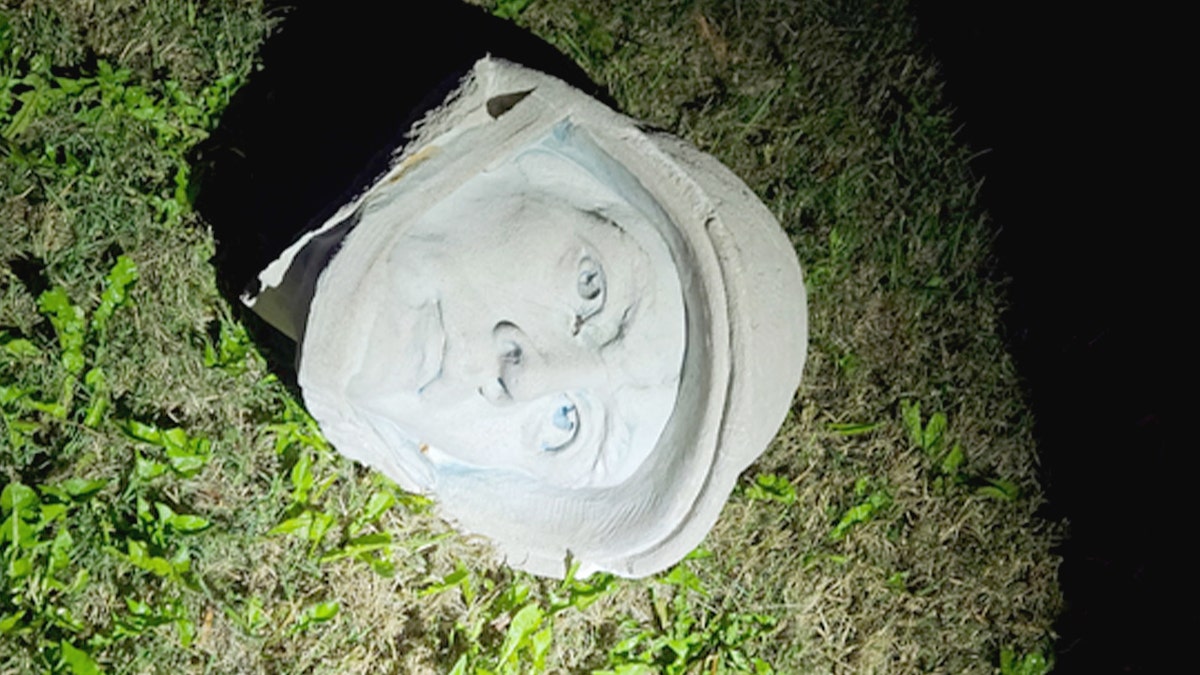
Police estimated that the damage would cost hundreds of thousands of dollars to repair. (Prince William County Police)
Other figures depicted raising the American flag during the Battle of Iwo Jima were also damaged.
Police estimated that the damage would cost hundreds of thousands of dollars to repair.
Federal sources previously told Fox News that Maldonado Soriano illegally crossed into the U.S. in December 1999 and was granted DACA under the Obama administration in 2014.
‘BONNIE AND CLYDE’ ILLEGAL IMMIGRANT COUPLE ACCUSED OF BRAZEN JEWELRY THEFT SPREE ACROSS FOUR STATES
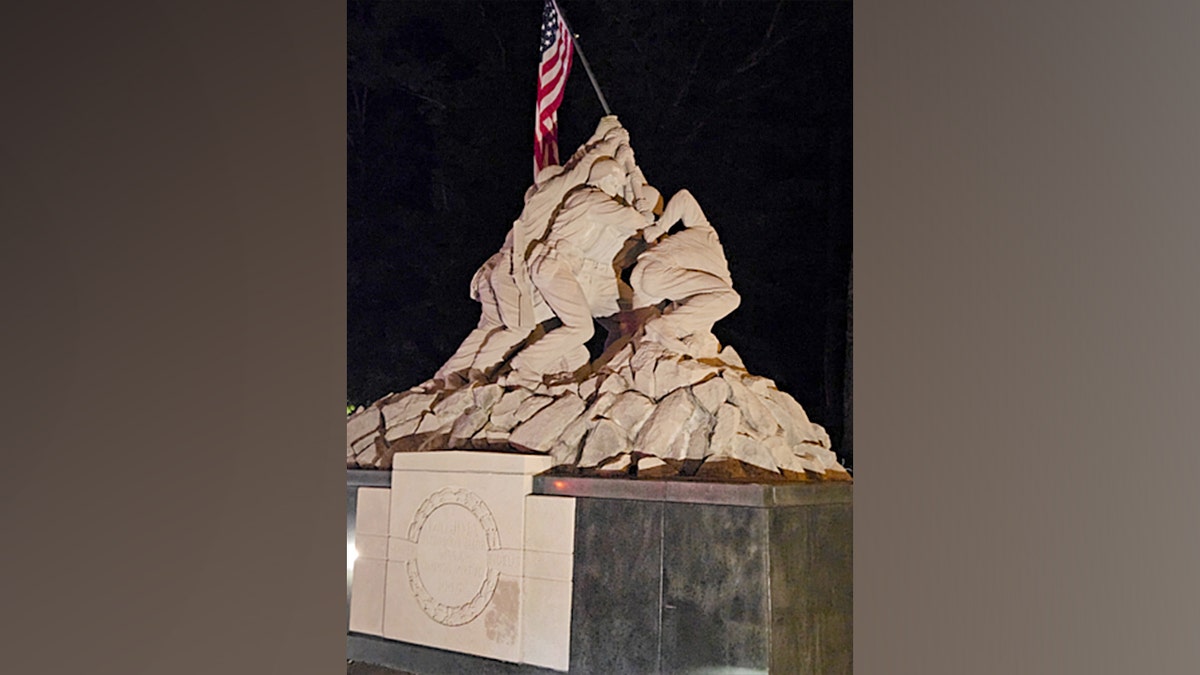
The damaged 9-foot limestone statue depicts the iconic flag-raising on Mount Suribachi during the 1945 Battle of Iwo Jima. (Prince William County Police)
His DACA status was extended under the Biden administration in 2024 before expiring in August 2026 after it was not renewed under the Trump administration.
The damaged 9-foot limestone statue depicts the iconic flag-raising on Mount Suribachi during the 1945 Battle of Iwo Jima.
CLICK HERE TO DOWNLOAD THE FOX NEWS APP
It was sculpted by Felix de Weldon, who later created the Marine Corps War Memorial in Arlington, Virginia.
Fox News Digital’s Emma Bussey and Fox News’ Bill Melugin contributed to this report.
Sophia Compton is a Writer at Fox News Digital. Sophia was previously a business reporter covering finance, energy and tourism and has experience as a TV news producer. She graduated with a journalism degree in 2021 from the University of Hawaii at Manoa. Story tips can be sent to sophia.compton@fox.com.